Making my own version of Pocket for €9.51 a month
I wanted my to dos, my notes and the things people recommend me in one place I’d actually read. So I put an assistant on a €9.51 Hetzner box to file all three, which is what Pocket sells without the hardware.

My brother burst into the office saying he’d seen the future and it was called OpenClaw, and that our entire business should be running on it. To test it, I put one on a Hetzner box and gave it one job: take whatever thought I dump on it and file it somewhere I’ll actually read.
Context
I was back home, in the office, and he came in about fifteen minutes after me going absolutely crazy. Bro, I’ve just seen the future. It’s called OpenClaw. You can make your whole business run on this thing. It can do finance, support, ordering, and you can do it all on your phone. It’s the fastest way to do business.
Fastest way to give me a heart attack, more like it. My brother had spent too long lapping up the tech bro Kool-Aid on YouTube.
But I was really curious. Before OpenClaw, I kept building the scaffolding and the connectors for my agents to work in, and OpenClaw promised to do all of that itself. Arguably, my brother could literally build connections and workflows immediately to automate his low value jobs! It was worth committing a few days to testing it
What I wanted out of it wasn’t a new idea. An assistant that keeps my to dos, my notes and the recommendations people give me in a structured/ tagged/ searchable repo.
I’d had a go before. A Zap where I’d type a tag at the start of every message, then word processing to check the tag and route it accordingly. Miserable to build, shit product at the end of it, because I kept forgetting to use the right tags, and anything untagged just went unfiled.
How it’s built
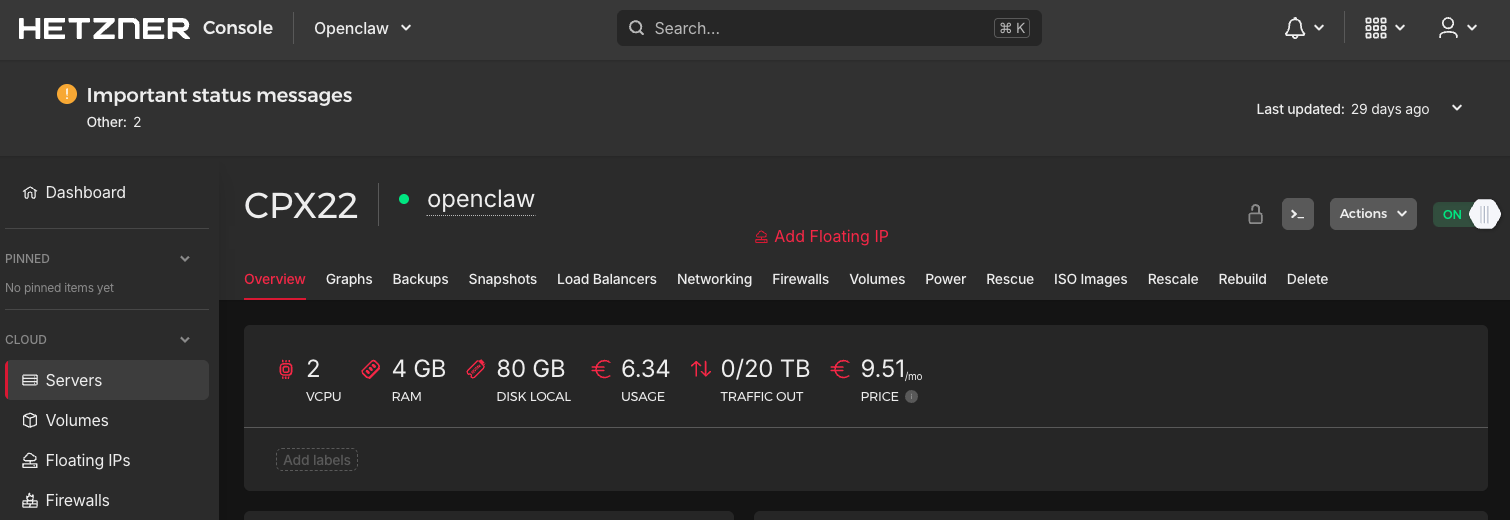
OpenClaw runs on one always-on box and talks to Telegram, Notion and Google. Setting it up, I got to write his personality: warm, unintentionally funny, knowledgeable and thorough. That gave me Professor Oak vibes, so that is who he became. I remote installed him on a Hetzner server, configured him and connected him to Telegram, following their guide. Now when I message him on Telegram, he’ll process, sort and enrich my note and then push it to the right repo on Notion.
Talking to it beats typing at it
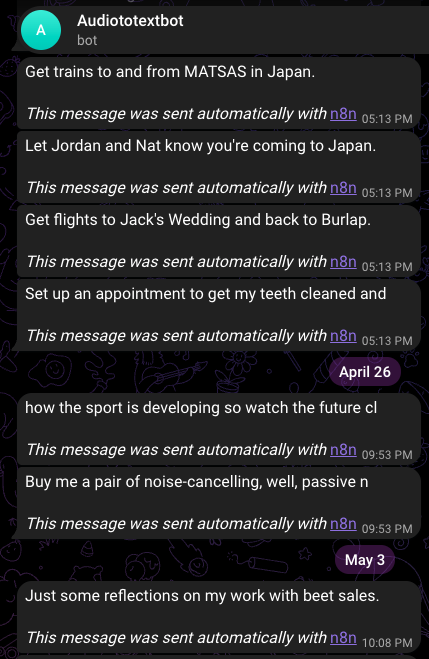
Telegram on its own was still too slow. I wanted to take my phone out, say the thing, and put it back. Double tapping the back of my Pixel starts a recording.
- Google Drive
1. Google Drive Trigger
The voice note my phone just pushed up.
- Google Drive
2. Download file
Pulls the audio into the flow.
- OpenAI
3. Transcribe a recording
The audio becomes text.
- n8n
4. Strip Text to 50 Chars
Trims the transcript before it goes anywhere.
- Telegram
5. Send a text message
The handoff. Telegram is where OpenClaw is listening.
- Notion
6. Create a database page
The transcript, written into Notion.
One of those nodes is called Strip Text to 50 Chars, and it does exactly what it says. That is on purpose. The Telegram message is my receipt, a snippet so I can see which voice note made it to the cloud.
The stack
- OpenClaw · The assistant. Reads Telegram, decides what a message is, files it.
- Hetzner · A CPX22 box, always on. 2 vCPU, 4 GB RAM, €9.51 a month.
- Telegram · Where I talk to it, by text or voice note.
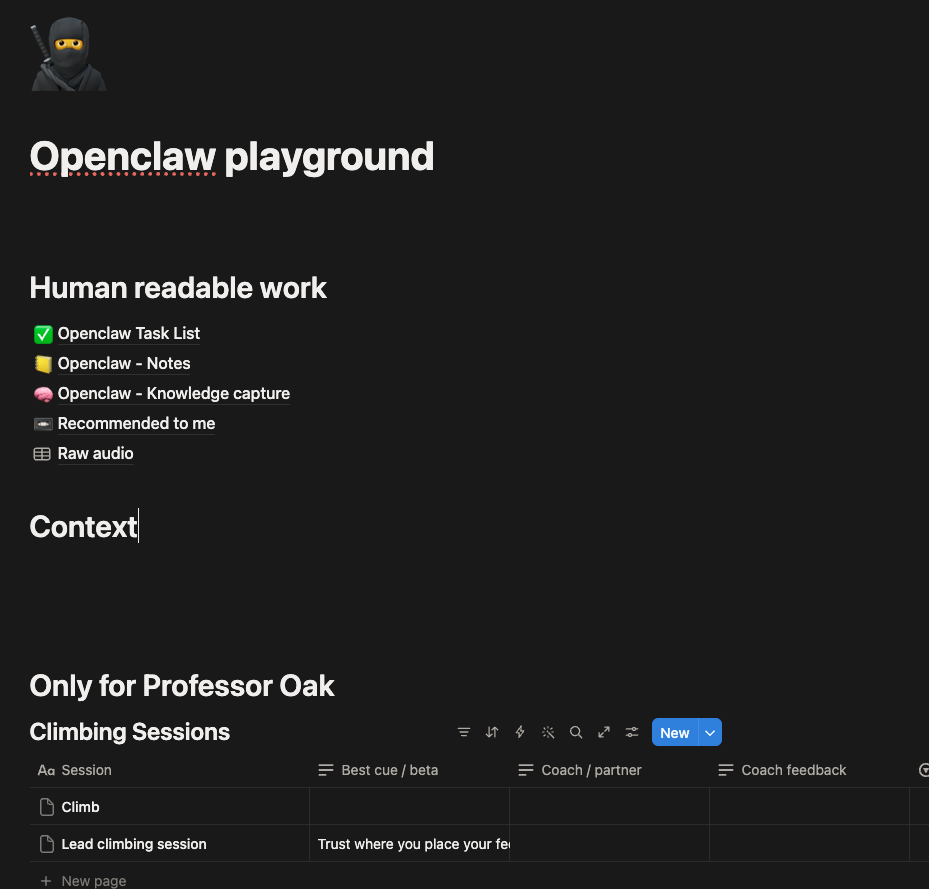
- Notion · Five databases: Task List, Notes, Knowledge capture, Recommended to me, Raw audio.
- Google Drive · One folder. I push every recording into it myself.
- Google Calendar · Where it writes events, once I’ve said yes to the command.
- n8n · Runs the six steps from the folder to Telegram.
- OpenAI · Transcribes the recording.
Getting it to stay up took the longest
Everyone made this sound easy, but the config was a ball ache. Launching on an always-on cloud, which I reckon you need for it to be any use, kept falling over. Even connecting it persistently to my calendar without a million permission steps took ages.
Connecting Telegram, Notion and Drive is where I went slow, on purpose. I don’t trust a new tool out of the box, and this one wanted write access to my calendar and my email. The permissions started tight and I widened them as I vetted it and it kept getting my order right.
It made its own databases
I gave it access to my OpenClaw playground in Notion and told it the job. I’m going to give you stuff, you need to know whether it’s a task, a note or a recommendation, then file it somewhere I can read. That was about all I gave it.
It asked me a few questions and built the databases itself, choosing the tags and the column names. I was pretty stoked, especially considering I didn’t need to build the database and connect it up myself (like I did with Zapier). This also meant the whole tool is super dynamic and as I learn the table is missing things, they get added in via the agent without any extra config.
Learnings
I don’t categorise anything any more. I say the thing and it works out where the thing goes.
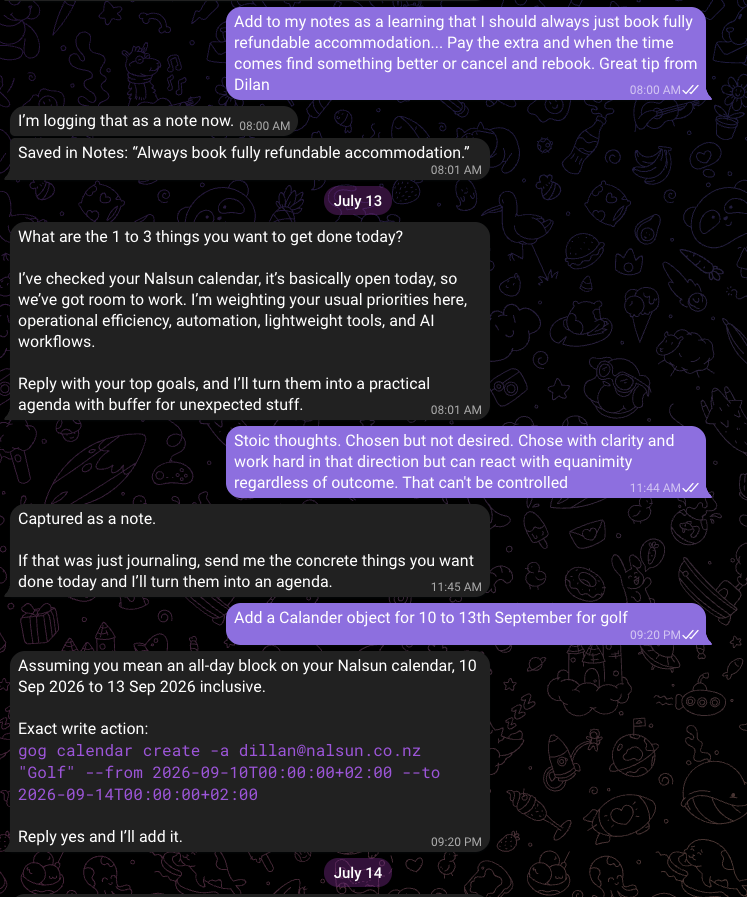
- It shows me the write before it makes it. The exact command, then “reply yes and I’ll add it”.
- It’ll build a table for anything. I asked it to log my climbing sessions and it made the table itself, asking what mattered: best cue, coach feedback, who I climbed with.
It won’t hold onto what I tell it
I struggled to get it to remember instructions, honestly. I wanted a morning assistant to help me organise my day, but it kept defaulting to its own todo and priority storage instead of the Notion table I can actually see. Maybe it’s easier to get it to rebuild that on demand every time than to manage a Notion table myself.
Somebody already sells this
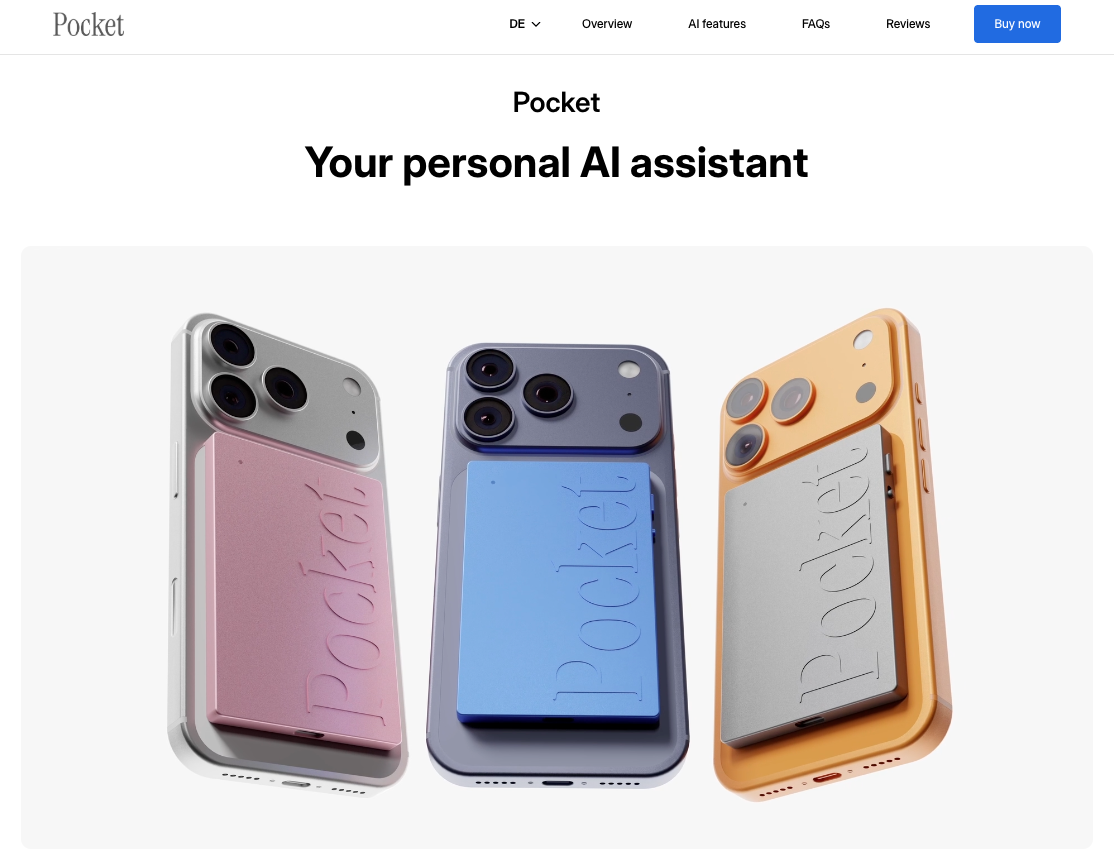
It’s called Pocket, it’s a bit slicker, and it does the one-click recording and the push to the cloud on its own. It’s $200 USD. Mine takes less hardware and it’s more bespoke to how I want my stuff organised. Will YC give me 100 mil?
I’m not a fan of OpenClaw, honestly
- It does much the same as claude agents, with less support and fewer integrations.
- I don’t trust it, because I don’t think I can blame anyone if it goes rogue.
- It doesn’t give me any more benefit than Claude. I just get to run it on Telegram.
Next steps
What’s still broken
- The recording can’t go anywhere directly. It has to land in a Drive folder first, and I push it there myself, which is what the first two flow steps pick up.
What I want to build
Nothing on the plumbing, for the reasons above.
I still use Professor Oak daily, because he’s cheap and he was fun to make. The business runs on Claude, exclusively.