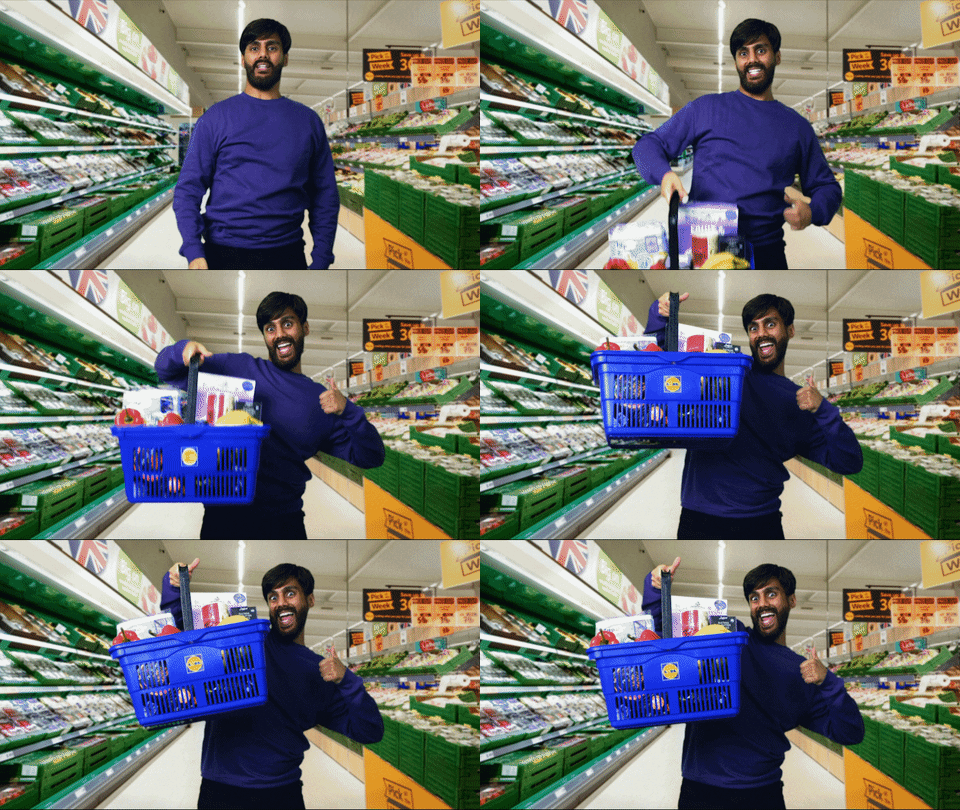
Automating payroll and giving dad back his Saturday
Every Saturday morning Dad drove to the office to do payroll by hand: four checkpoints, three lots of copy-paste, four hours. Now he can do it all in 30 minutes before he goes home on Friday.

Context
I noticed that dad would go to the shop every Saturday morning. I followed him and learnt that he grinds every week to make sure his employees get paid fairly and on time. Payroll is the thing he barely trusts anyone with because he doesn't want to lose that trust from his team. If he gets it wrong, someone could be short the cash they need to support their family and keep a roof over their heads. He really takes that personally. I admire that about him. What I didn’t admire was watching him spend four hours copying numbers from one place to another and then checking he’d copied them right.
Twenty-nine staff, four checkpoints, three lots of copy-paste, and it starts with a biro.
- Paper
1. Collect everyone's hours on a paper sheet
- Microsoft WorksFriday
2. Type up the sheet onto Microsoft Works
That's the thing before Excel
- Microsoft Works
3. Check that it's all copied over correctly
When his checks don’t line up, back to the paper, line by line.
- Microsoft Works
4. Update hours based on holidays, leave and sick days
- Microsoft Works
5. Copy the data into our payroll app and check it again
The sheet says something different now, so it gets re-read.
- Microsoft Works
6. Print
- Crystal Payroll
7. Check what we entered into Crystal matches what we should pay
He prints both sheets and cross references each cell
- Crystal Payroll
8. Generate the bank list and submit payment
Out the door the same day.
It’s all necessary, because none of these systems are connected and it starts with something handwritten. Every checking round is printed and filed on a shelf of wages going back twenty years. All of it is stuff a computer could do once, maintain integrity checks through the process and store it into perpetuity on the cloud.
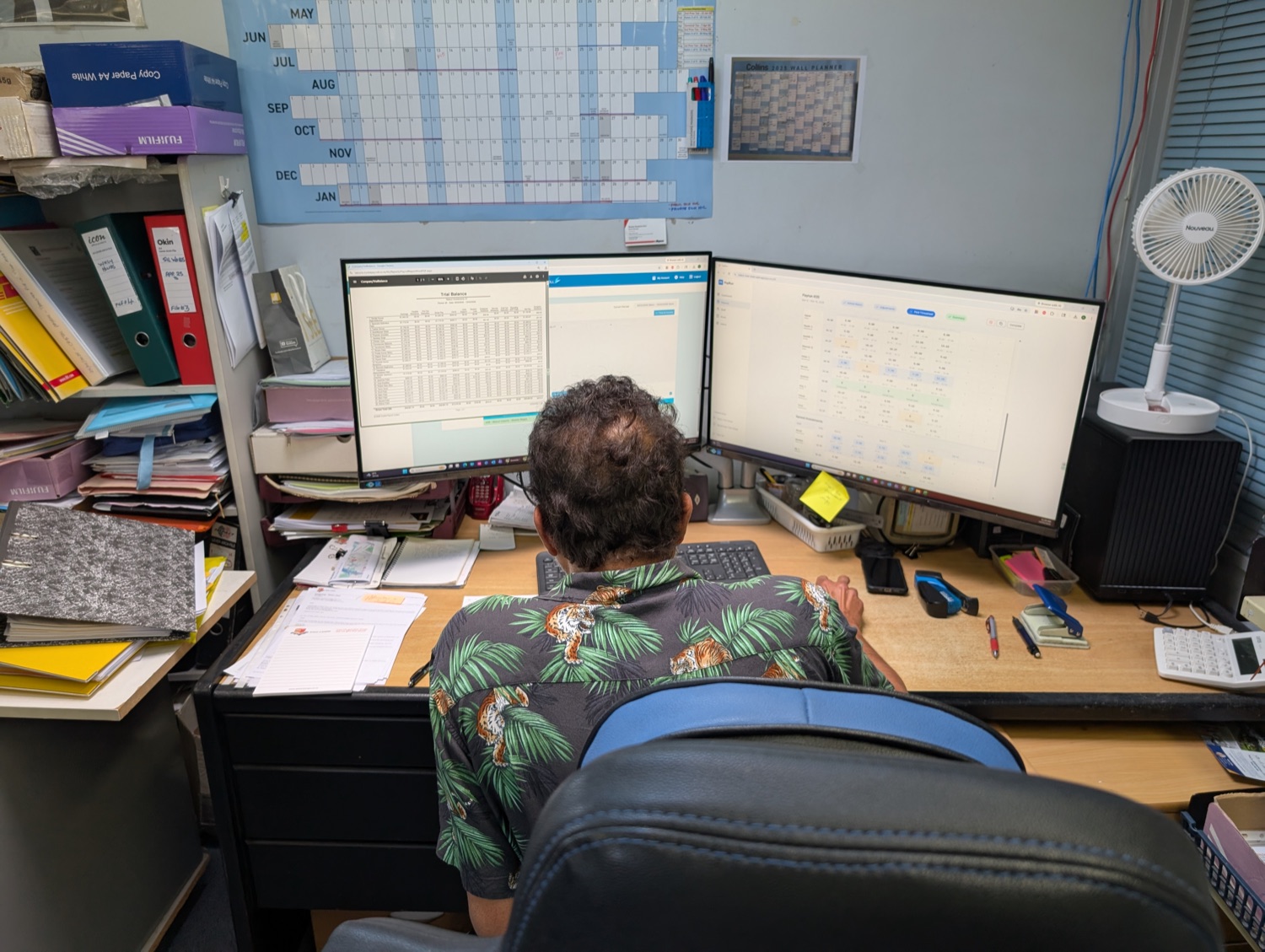
The paper timesheet was sacred.
The paper timesheet was non-negotiable. You can't forge your handwriting and we trust our team wouldn't put in the wrong time. So I spent a couple of days building OCR that could read the timesheets. Genuinely fun: there’s a lot you can do to a paper sheet to make it easier for a computer to read someone’s janky-ass handwriting (eg, adjust the timesheet to make cells more distinct, pre-train users with poor handwriting, split images into smaller rows with distinct headings).
Long story short though, this was insane. I got it to 96% accurate at best, across ten old sheets. That sounds close until you realise you still have to check every cell to find the few it got wrong. So instead of making the OCR good enough to win the argument, I tested the theory. A throwaway digital time tracker, sat next to the OCR tool, convinced him better than my words were going to. This non-negotiable source of truth was no worse than a digital timesheet where we photograph the person checking in.
How it’s built
Payrun is one app. The team clocks in and out on a kiosk, it does the sums Dad was doing by hand, and it pushes the finished timesheet straight into Crystal Payroll.
- Payrun
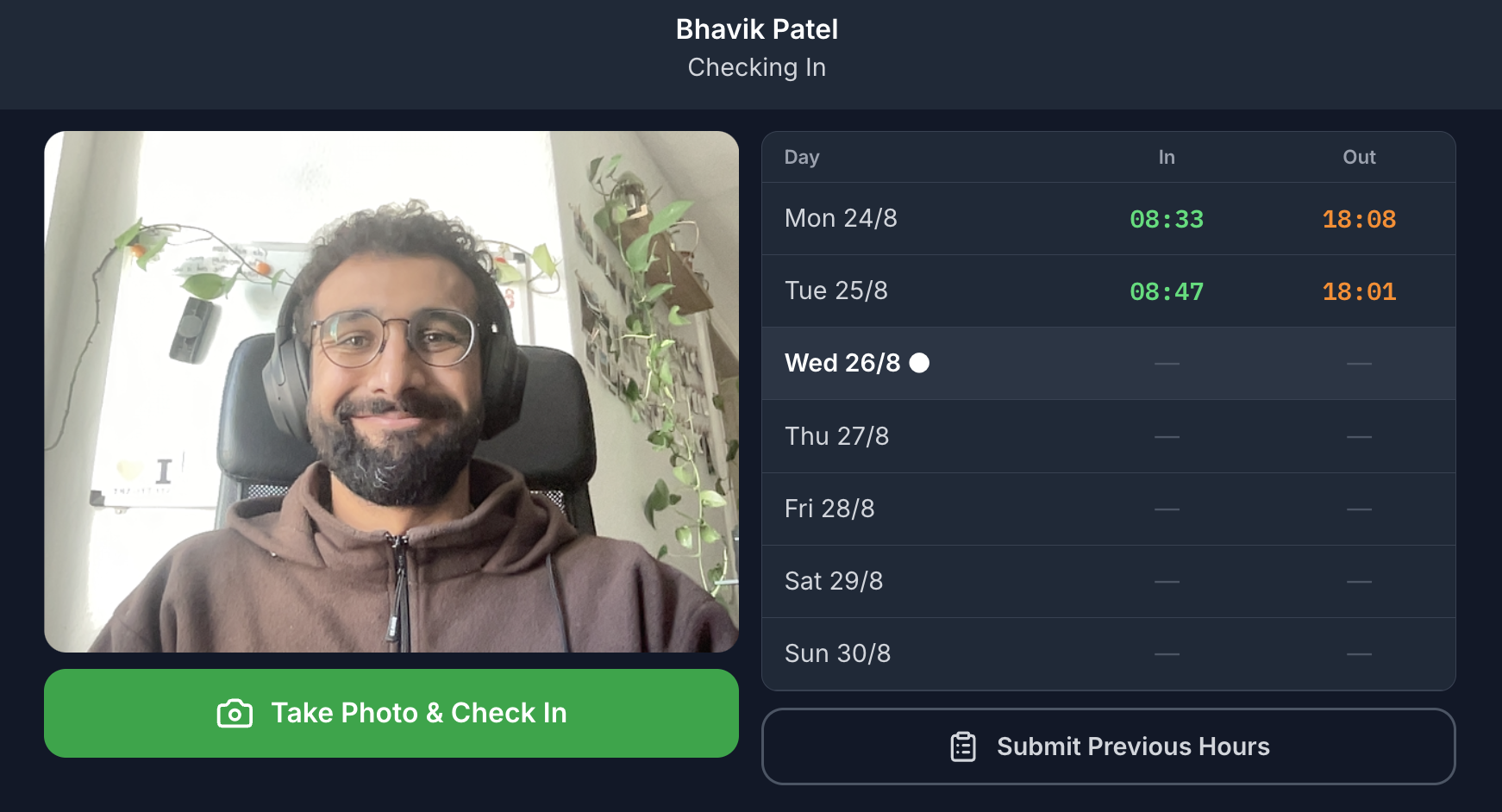
1. Take Photo & Check In
The kiosk snaps a photo when you tap in.
- Payrun
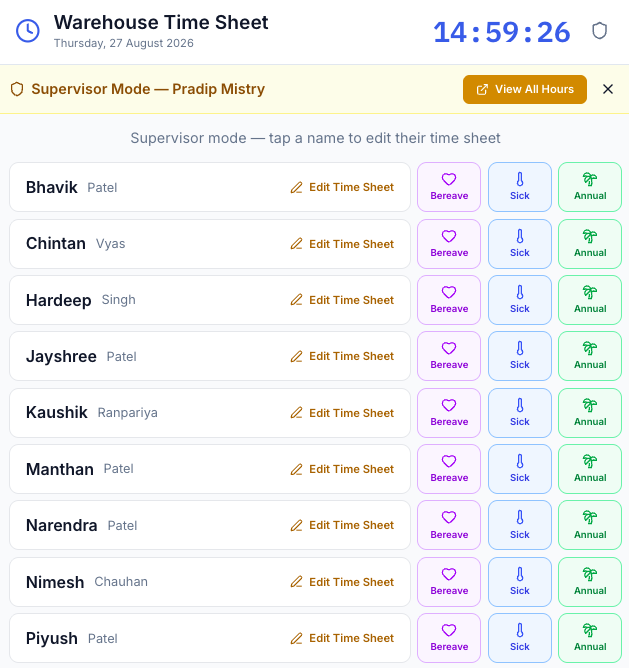
2. Supervisor mode
For entering leave and sick days, and fixing wrong timestamps.
- Payrun
3. Warnings for suspicious timestamps
Instead of reconciling the timesheet at the end of the week, we are alerted when timestamps look wrong.
- Payrun
4. Paid Timesheet
What each person actually earned that week and is submitted to Crystal Payroll.
- Payrun
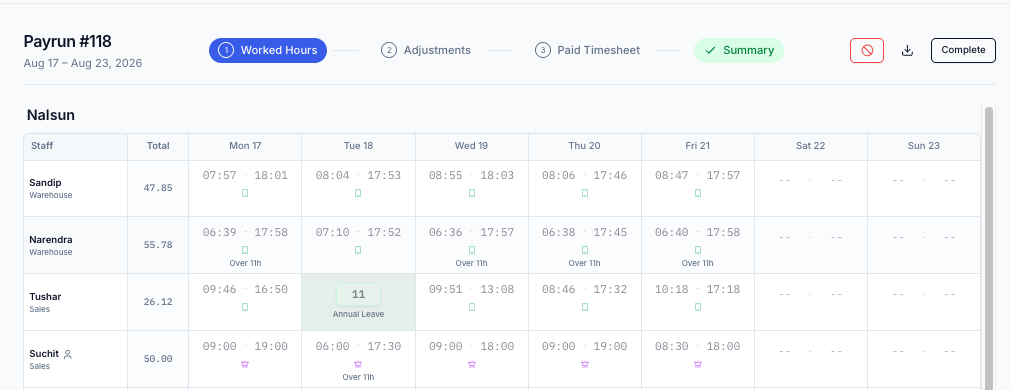
5. Summary
The last read before it gets marked Complete.
- Crystal Payroll
6. Push it through
The bank list comes out the other side.
The stack
- Payrun · The app. A MERN stack, so MongoDB, Express, React and Node. The kiosk, the flags, the calculations, the paid timesheet.
- Replit · Where Payrun is hosted, and where the throwaway versions got made before any of it was real.
- Crystal Payroll · Where the pay run happens and the bank list comes from.
- Claude · Built it, against one long prompt I wrote first.
What the team sees
Checking in takes a photo. You get your own week beside the button, so you can see what’s already logged, and Submit Previous Hours is there for the days you forgot.
What the supervisor sees
The supervisor view lets the managers edit wrong timestamps (people still forget to clock in) and submit the most common reasons why people are absent, making Friday even easier for Dad.
What my dad sees
This is where he checks that the timesheet makes sense, makes any updates for leave, and eventually submits the payroll to Crystal Payroll.
The first few weeks were about trust
At the start we checked the app against what people said they’d worked. I can’t stress how much it matters to my family that the boys get paid what they deserve, and get that wrong once and nobody uses the kiosk again. We audited the first four weeks by running both processes side by side, and we found mistakes in the app, in how it processed the timesheet and what it sent to payroll. That month of double work is where the checkpoints came from. They’re asserted in the app now and checked on every release, so a change can’t quietly break the maths.
The way I built it is the bit I’d steal
This was the first time I built an app like this. I copied the method from Lenny's newsletter.
- I talked it out first. Voice mode, said whatever I wanted, and got a first version of the app out of it.
- I didn’t wait for that one to render, I just opened another project. Two or three more versions as my thoughts came together. They were throwaway and that was the point.
- I screenshotted things off Mobbin and Dribbble that worked really well for what I was building, took the code where I could get it, and pushed those into another Replit project.
- Then I went through the apps I’d made and clicked around. What worked and what didn’t, what needed to be clearer in the prompt, which interactions were crucial and which were nice to have. Everything up to this point was learning.
- I worked with Claude on a really clear design doc: what I needed to build, for who, why, the main user flows, the hard constraints. I even had Claude interview me. That document is what I pointed Replit at as I built, for consistency.
- Then I gave the document to Replit to build and verify its workflows against.
The output was much more creative than anything I’d have got by asking cold and drawing myself or iterating slowly.
End to end it cost me a week, including the mess around with the OCR tool.
Learnings
- You still have to understand your own app. Trusting Claude to find its own bug is how I lost a day and a half. Now I periodically get it to map key flows so I can understand what's getting built and what's changing instead of being totally reliant on the code.
- The hard part was the people. Convincing everyone that digital beats OCR is what made this take as long as it did.
- Trust has to be earned. Those checkpoints are on screen even though they should never disagree. In B2B that is a trust signal, and it is worth keeping even though it costs some simplicity and makes the page look busy.
Next steps
What’s still broken
- Retroactive entries still need a person. The app flags them, but it can’t tell you whether the memory is right.
What I want to build
The app does the job, so most of what’s next is pointing it at other teams. The delivery run version is in beta but not released.
- Some form of biometrics. I noticed that there are still some people logging their friends in.
Dad was eager for this. He wanted to start fixing this stuff, and he understood that building tech is a process. I’m stoked that at his age he’s still that curious and still up for trying these things.
Twenty-five pay runs for 29 staff so far. Four hours down to fifteen minutes is three and three quarter hours a week, so about ninety-four hours of Saturday he has back. First step to getting Dad onto the beach.